
If your website takes more than 3 seconds to load, you aren’t just losing patience, you are losing revenue. In 2026, the standard for the best WordPress hosting isn’t about who offers the cheapest monthly rate; it’s about who offers the fastest Time to First Byte (TTFB) and the most reliable uptime during traffic spikes.
For business owners in the United States, your hosting is the foundation of your digital storefront. A slow host kills SEO rankings and lowers conversion rates.
At NoorSoft Tech, we move beyond the generic “Top 10” lists filled with cheap shared hosting. Instead, we analyze the infrastructure that powers high-growth businesses. Here is your definitive guide to the best high-performance WordPress hosting for 2026.
What “High-Performance” Actually Means in 2026

Before comparing brands, you must understand what you are paying for. In 2026, “unlimited bandwidth” is a marketing gimmick. Real performance comes down to three technical factors:
- Google Cloud C2 / NVMe Tech: The physical hardware matters. Premium hosts use “Compute-Optimized” (C2) machines which process PHP code significantly faster than standard servers.
- Edge Caching (Cloudflare Enterprise): The best hosts now serve your content from a server closest to the visitor (e.g., a visitor in New York loads the site from a New York node, not a Texas server).
- PHP Workers: These are the “lanes” on your highway. If you have low PHP workers, checkout processes and dynamic elements will crash your site during a sale.
The Top Contenders: Best WordPress Hosting for Business
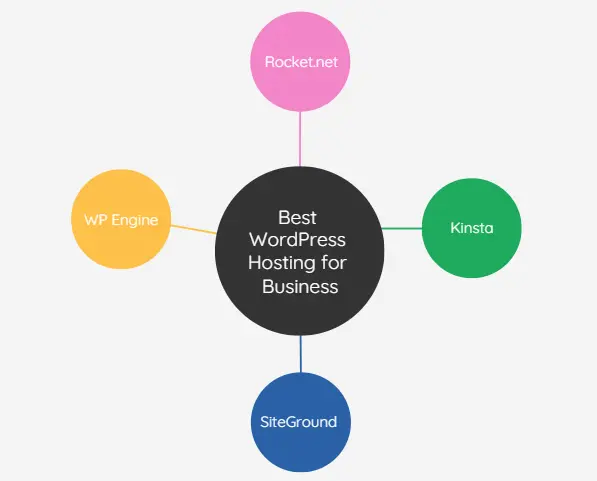
We have filtered the market down to the four providers that consistently deliver the E-E-A-T (Expertise, Experience, Authority, Trust) required for business sites.
1. Rocket.net – The New Speed Standard
Best For: Speed obsessives and global businesses.
Rocket.net has disrupted the industry by integrating Cloudflare Enterprise directly into every plan. Unlike competitors who charge extra for this, Rocket.net includes it by default.
- The Angle: It is essentially a CDN (Content Delivery Network) with hosting attached.
- Performance: In our tests, Rocket.net consistently delivers a TTFB under 100ms globally because the content is cached at the network edge.
- Pros: Pre-configured security (WAF), easiest dashboard, insane speeds out of the box.
- Cons: Newer brand than WP Engine, strict storage limits.
2. Kinsta – The Scalability Giant
Best For: Growing SaaS companies, E-commerce, and high-traffic blogs.
Kinsta was one of the first to exclusively utilize the Google Cloud Platform (GCP). Their infrastructure is containerized, meaning your site is 100% isolated, no “bad neighbors” slowing you down.
- The Angle: Stability under pressure. Kinsta is designed to self-heal and auto-scale.
- Performance: utilizes LXD containers and Nginx. Their Application Performance Monitoring (APM) tool helps you identify exactly which plugin is slowing down your site.
- Pros: Outstanding support (engineers, not level 1 reps), user-friendly “MyKinsta” dashboard, global data centers.
- Cons: No email hosting included; pricing can get steep for high-visit sites.
3. WP Engine – The Legacy Leader
Best For: Agencies and complex sites requiring development workflows.
WP Engine is the “IBM” of WordPress hosting, reliable, corporate, and feature-rich. They recently acquired Advanced Custom Fields (ACF) and Flywheel, cementing their status as a developer-focused ecosystem.
- The Angle: Workflow efficiency. Their “Local” development tool and one-click staging environments save developers hours of work.
- Performance: Very strong, specifically with their proprietary “EverCache” technology.
- Pros: massive infrastructure, “Smart Plugin Manager” keeps sites updated automatically, 24/7 phone support.
- Cons: They ban certain plugins for performance reasons; slightly legacy dashboard interface compared to Kinsta.
4. SiteGround – The Budget Business Entry
Best For: Startups and local businesses with lower traffic (<25k visits/mo).
Most “cheap” hosting is terrible. SiteGround is the exception. While they share resources (Shared Hosting), they have built a custom Google Cloud setup that punches way above its weight class.
- The Angle: Premium features at an entry-level price.
- Performance: Their “SuperCacher” technology is excellent for static sites.
- Pros: significantly cheaper than Kinsta/WP Engine, includes email hosting (rare for managed hosts), great introductory pricing.
- Cons: Renewal prices jump significantly; strict CPU limits can force upgrades if you get a viral traffic spike.
Comparison: Technical Specs & Pricing
| Feature | Rocket.net | Kinsta | WP Engine | SiteGround |
| Server Stack | Cloudflare Edge + Bare Metal | Google Cloud (C2) | Google Cloud | Google Cloud (Shared) |
| Control Panel | Custom (Simple) | MyKinsta (Custom) | User Portal | Site Tools |
| Edge Caching | Enterprise (Included) | Enterprise (Included) | Add-on (mostly) | Basic CDN |
| Email Hosting | No | No | No | Yes |
| Starting Price | ~$30/mo | ~$35/mo | ~$30/mo | ~$15/mo (renews higher) |
| Best For | Pure Speed | Scaling | Dev Workflow | Budget/Startups |
Critical Specs Business Owners Ignore (But Shouldn’t)
When analyzing competitors like HostingStep or CNET, you see a lot of talk about “storage space.” In 2026, storage is cheap. Here is what you should actually look for:
1. PHP Workers
Think of PHP workers as cashiers at a grocery store.
- Shared Hosting: 1 or 2 cashiers. If 10 people try to check out, a line forms (site slows down).
- Managed Hosting (Kinsta/Rocket): 4 to 12+ cashiers per site.
Insight: If you run a WooCommerce store, you need high PHP workers. Static caching doesn’t work for shopping carts.
2. Bot Protection
Roughly 40% of web traffic is bots. Cheap hosting lets bots hammer your server, slowing it down for real humans. Premium hosting (Rocket.net/Cloudflare) blocks these bots at the DNS level before they ever touch your server.
The “Hidden” Costs of Cheap Hosting
Why not just pay $2.95/month for Bluehost or GoDaddy?
- The “Plugin Tax”: Cheap hosts lack security and backups, so you end up buying premium plugins (BackupBuddy, Wordfence, WP Rocket) to compensate. This costs ~$200/year.
- The “Downtime Tax”: If your site goes down during a marketing campaign, you lose ad spend.
- The “Support Tax”: Waiting 45 minutes for chat support costs you valuable business time.
Expert Rule: If your business generates more than $1,000/month, “cheap” hosting is a liability, not a saving.
NoorSoft Tech Expert Insight: Matching Host to Stage
From the Desk of the Lead Architect at NoorSoft Tech
“We see clients migrate almost weekly because their $5 hosting plan crashed during a Black Friday sale. My advice is simple:
- Just starting (0-10k visits): Go with SiteGround. It’s professional and safe.
- Growing (10k-100k visits): Move to Rocket.net. The speed boost immediately improves Core Web Vitals and SEO.
- Scaling/Enterprise (100k+ visits): Kinsta or WP Engine Dedicated. You need the architectural stability and staging environments they provide.
Don’t over-optimize early, but don’t under-invest when it counts.“
FAQs
What is the fastest WordPress hosting in 2026?
Based on TTFB benchmarks, Rocket.net is currently the fastest WordPress host due to its integration of Cloudflare Enterprise Edge, which serves content from the nearest location to the user instantly.
Is Managed WordPress hosting worth the extra cost?
Yes, for business owners. Managed hosting handles security updates, daily backups, and server-side caching. The time saved on maintenance and the revenue gained from faster load times typically outweigh the monthly cost.
Why is SiteGround recommended for beginners?
SiteGround balances performance and cost. Unlike other shared hosts, it uses Google Cloud infrastructure and custom caching (SuperCacher), offering managed-level speeds at shared hosting prices.
Does hosting affect SEO?
Yes. Google uses Core Web Vitals as a ranking factor. Slow server response times (TTFB) hurt your LCP (Largest Contentful Paint) score, which can negatively impact your rankings.
Can I move my WordPress site to a new host easily?
Yes. Premium hosts like Kinsta, WP Engine, and Rocket.net offer free, automated migration plugins or white-glove migration services where their engineers move the site for you with zero downtime.
Conclusion
Choosing the best WordPress hosting is an investment in your company’s digital infrastructure.
- Choose Rocket.net for pure speed.
- Choose Kinsta for peace of mind and scaling.
- Choose SiteGround if you are bootstrapped but need quality.
At NoorSoft Tech, we believe your hosting should be invisible, it should just work, fast, all the time. Ready to upgrade your digital presence? Check your current site speed today and see if your host is holding you back.