
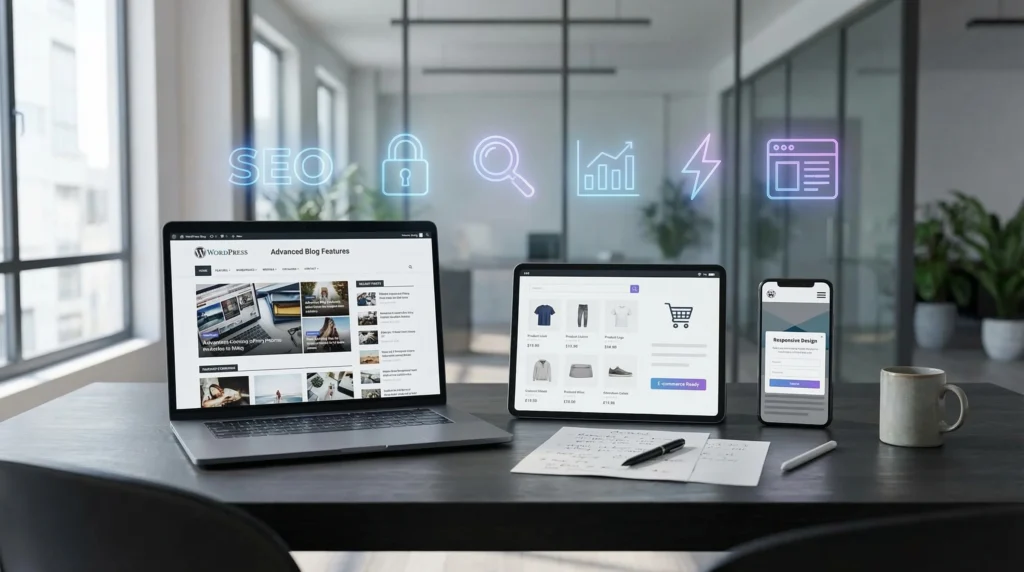
In the fast-paced digital landscape of the United States, a website is no longer just a digital brochure, it is your primary salesperson.
While WordPress powers over 43% of the web, not all WordPress sites are created equal. Many businesses are still running on “Legacy WordPress,” utilizing outdated themes and bloated plugins that hurt performance. As we approach 2026, the definition of essential WordPress website features has shifted from basic content management to advanced performance, automation, and compliance.
At NoorSoft Tech, we believe your website should be an asset, not a liability. Below are the top 10 features your business website needs to compete, rank, and convert in the coming year.
1. Full Site Editing (FSE) & Block Theme Architecture
Gone are the days when you needed a developer to change a header or footer. One of the most critical evolutions in the WordPress ecosystem is Full Site Editing (FSE).
- What it is: FSE allows you to edit every part of your website, including headers, footers, and templates, using the native WordPress Block Editor (Gutenberg).
- Why you need it: It reduces reliance on heavy “page builder” plugins like Elementor or Divi, which can slow down your site. FSE makes your site leaner, faster, and easier to manage internally.
2. Advanced Core Web Vitals Optimization
Speed isn’t just a luxury; it’s a ranking factor. However, generic “speed” isn’t enough. Your site features must be optimized for Google’s Core Web Vitals.
- Interaction to Next Paint (INP): This metric measures responsiveness. If a user clicks a button, how fast does the site react?
- The Feature: Your WordPress build should include server-side caching (like Redis), image optimization (WebP format), and critical CSS generation to ensure your site passes these strict Google tests.
3. ADA & WCAG 2.2 Accessibility Compliance
For US business owners, accessibility is a legal necessity. Digital accessibility lawsuits have risen sharply under the Americans with Disabilities Act (ADA).
- The Feature: Your site must include:
- Keyboard navigation support.
- Proper ARIA labels for screen readers.
- High-contrast modes.
- Alt text automation for images.
- Pro Tip: Don’t rely solely on “overlay” widgets. True accessibility is built into the code structure of your WordPress theme.
4. Enterprise-Grade Security (WAF & 2FA)
WordPress is popular, which makes it a target for hackers. A standard installation is not secure enough for a serious business.
- Web Application Firewall (WAF): Essential for blocking malicious traffic before it hits your server (e.g., Cloudflare or Wordfence).
- Two-Factor Authentication (2FA): This should be enforced for all administrator logins to prevent brute-force attacks.
- Activity Logging: A feature that tracks every change made to the site, ensuring accountability and quick troubleshooting.
5. AI-Ready Search & Content Structure
By 2026, users expect “Google-like” search experiences within your website.
- Semantic Search: Instead of simple keyword matching, modern WordPress search (powered by tools like Algolia or Elasticsearch) understands user intent.
- Structured Data: Your content should be organized so that AI chatbots (like ChatGPT or Google Gemini) can easily read and cite your business as an authority.
6. Mobile-First Interaction Design
Most competitors will tell you your site needs to be “responsive” (shrinking to fit a screen). That is 2015 advice. In 2026, you need Mobile-First Interaction.
- Thumb-Friendly Navigation: Menus and buttons placed within reach of the thumb.
- Simplified Forms: removing unnecessary fields for mobile users to increase conversion rates.
- Click-to-Call/Text Features: Sticky buttons that allow immediate communication.
7. Automated Lead Capture & CRM Integration
Your WordPress website features must bridge the gap between marketing and sales.
- The Feature: Seamless API integration with your CRM (Salesforce, HubSpot, Zoho).
- How it works: When a user fills out a Gravity Form or WPForm on your site, their data should instantly appear in your CRM, trigger an email sequence, and alert your sales team. No manual data entry required.
8. Dynamic Content & Personalization
Static pages are boring. Modern WordPress sites use Logic-Based Content.
- What it does: Show different headlines, testimonials, or offers based on where the visitor came from (e.g., a visitor from LinkedIn sees different content than a visitor from Google).
- The Benefit: Personalized experiences increase conversion rates by up to 20%.
9. Scalable E-commerce Functionality
Even if you are B2B, you likely need payment processing functionality.
- High-Performance WooCommerce: If you sell products, you need “High-Performance Order Storage” (HPOS) enabled. This is a newer database structure in WooCommerce that makes checkout up to 30% faster.
- Payment Flexibility: Integration with modern wallets (Apple Pay, Google Pay) and Buy Now, Pay Later (Klarna/Affirm) options directly in the checkout flow.
10. Schema Markup & Structured Data Integration
To win in SEO, you need to speak Google’s language.
- The Feature: JSON-LD Schema markup.
- Why it matters: This code tells search engines explicitly what your content is (e.g., a Job Posting, an Event, a Product, or a Review). This unlocks “Rich Snippets” in search results, those star ratings and price tags that attract more clicks.
Expert Insights: The NoorSoft Tech Perspective
By the Lead Developer at NoorSoft Tech
“We often see business owners fixated on how a website looks, but they ignore how it operates. The most beautiful WordPress site is useless if it takes 4 seconds to load or isn’t accessible to disabled users.
In 2026, the biggest differentiator isn’t the theme you choose, it’s your Data Architecture. We are moving toward ‘Headless’ setups where WordPress manages the content, but modern JavaScript frameworks (like React) handle the display. If you are building today, ask your developer about ‘Block Themes’ and ‘Full Site Editing.’ If they try to sell you a Classic Theme with a heavy builder, they are building you technical debt, not a digital asset.”
What are the standard features of WordPress?
Standard “out-of-the-box” features include the Gutenberg Block Editor, Media Library, User Role Management, Permalinks (SEO-friendly URLs), and a built-in commenting system.
Why is WordPress the best CMS for business in 2026?
WordPress remains the best due to its open-source nature (you own your data), massive plugin ecosystem (over 60,000 plugins), and ability to scale from a small blog to an enterprise e-commerce platform.
What is the difference between a Classic Theme and a Block Theme?
Classic themes rely on PHP templates and often require page builders. Block themes (FSE) use HTML and the Block Editor, offering faster performance and allowing users to edit the entire site layout visually without coding.
How do I make my WordPress site secure?
To secure a WordPress site, use a high-quality hosting provider, install a Web Application Firewall (WAF), enforce SSL (HTTPS), use strong passwords with 2FA, and keep plugins/themes updated automatically.
Does WordPress support SEO natively?
WordPress is SEO-friendly out of the box regarding code structure, but for maximum results, you should add features like Schema markup, XML sitemaps, and meta-tag management (often via plugins like Yoast or RankMath).
What is Headless WordPress?
Headless WordPress is an advanced setup where WordPress is used only for content management (backend), while the frontend (what users see) is built with technologies like React or Vue.js for blazing-fast speeds.